How it works Your AI Privacy Compare FAQ Start free
End-to-end encrypted · Free · No ads

Notes that live with the people they’re for

Glim is a shared notes app. Photos, checklists, files and reminders — kept in spaces you open to the people who actually need them. Encrypted before it leaves your phone.
Free forever planiOS · Android · WebOffline-first6 languages
Grace joined Trip to Japan
Book the museum every Tuesday · 3 people
3 people in this space
Nora reacted ❤️ on “Cherry blossom spots”
New comment “Booked the teamLab tickets!!”
End-to-end encrypted only you hold the keys
Works offline everything stays on your phone
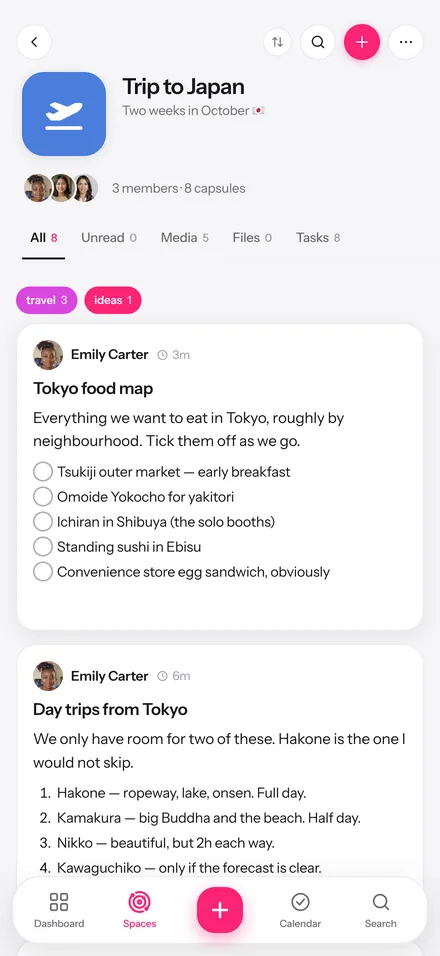
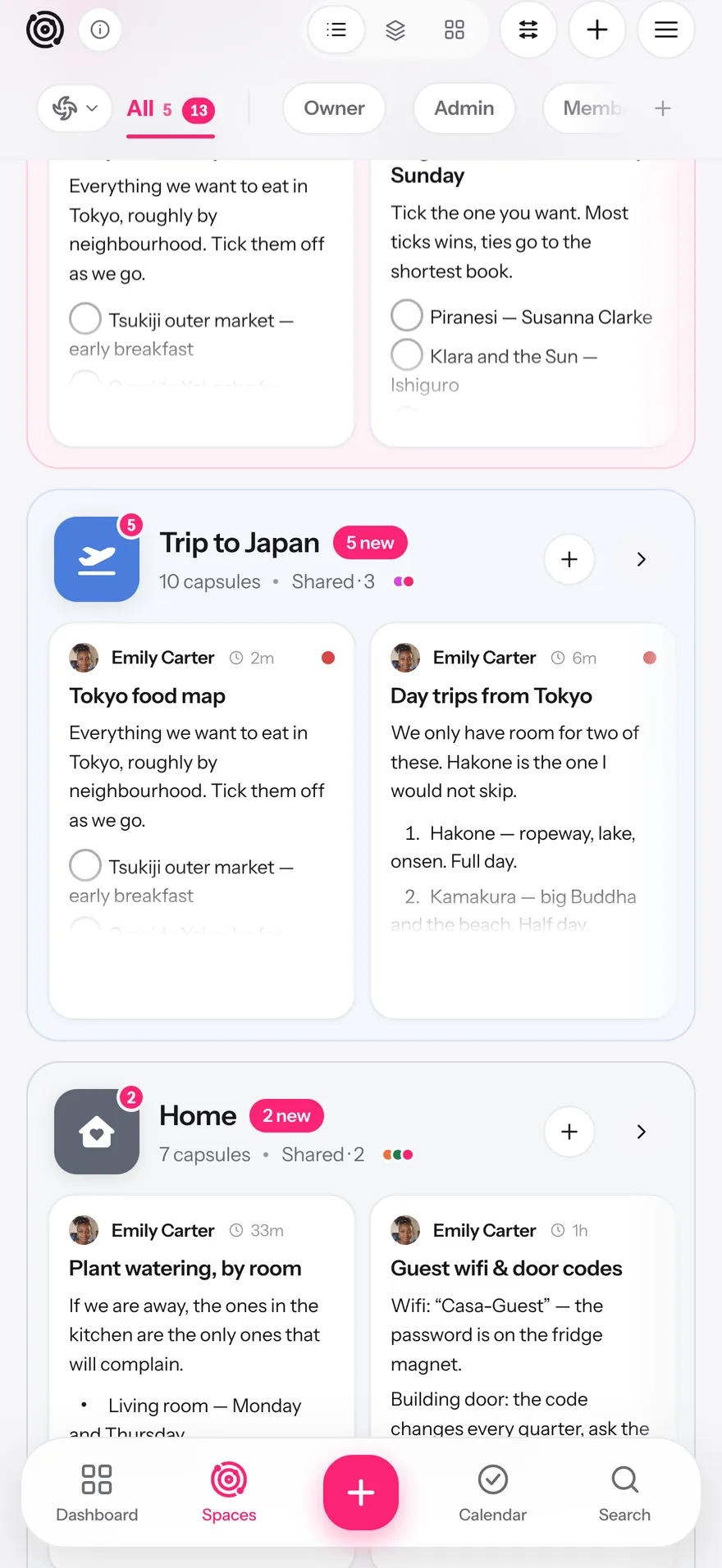
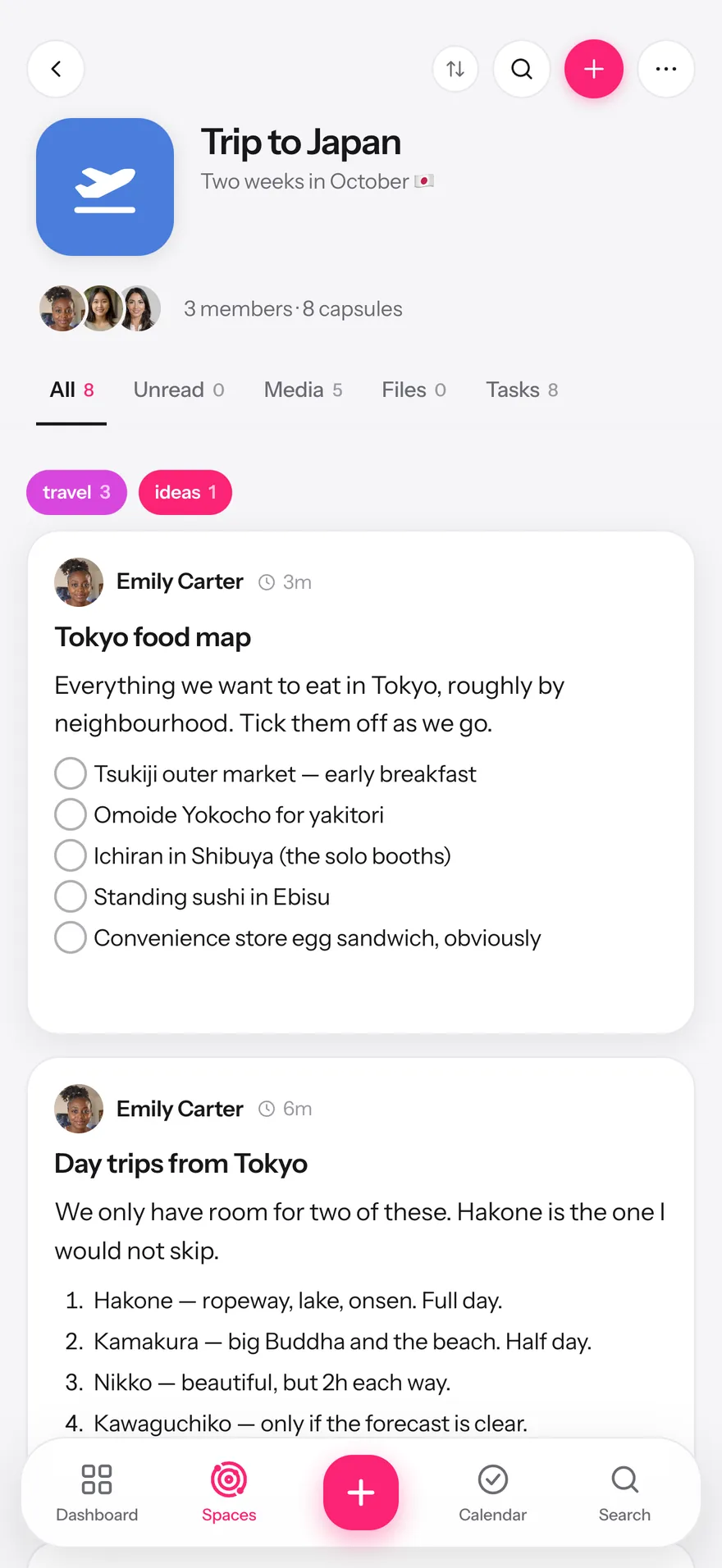
A shared space in Glim with three members and its capsules

Real screens. Real app. Nothing staged.

The problem

It all ends up in a group chat. And then it’s gone.

01

The address is 300 messages up

Someone sent it three weeks ago. Good luck.

02

Your notes app is a lovely vault

Beautifully private. Impossible to share with the person standing next to you.

03

Half the plan lives in someone’s head

And they’re the one who forgot to book the thing.

Glim gives all of it one home — one other people can actually walk into.

How it works

One place for the thing, the people and the plan

Scroll to walk through it.

01

Write it like it matters

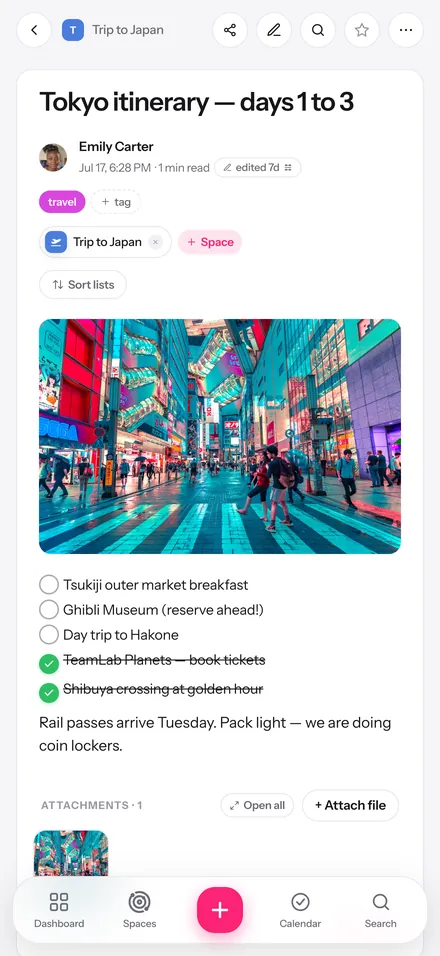
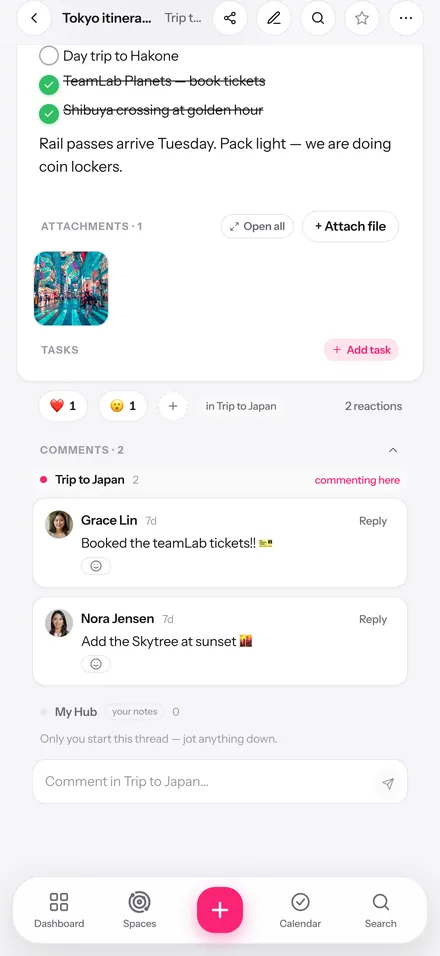
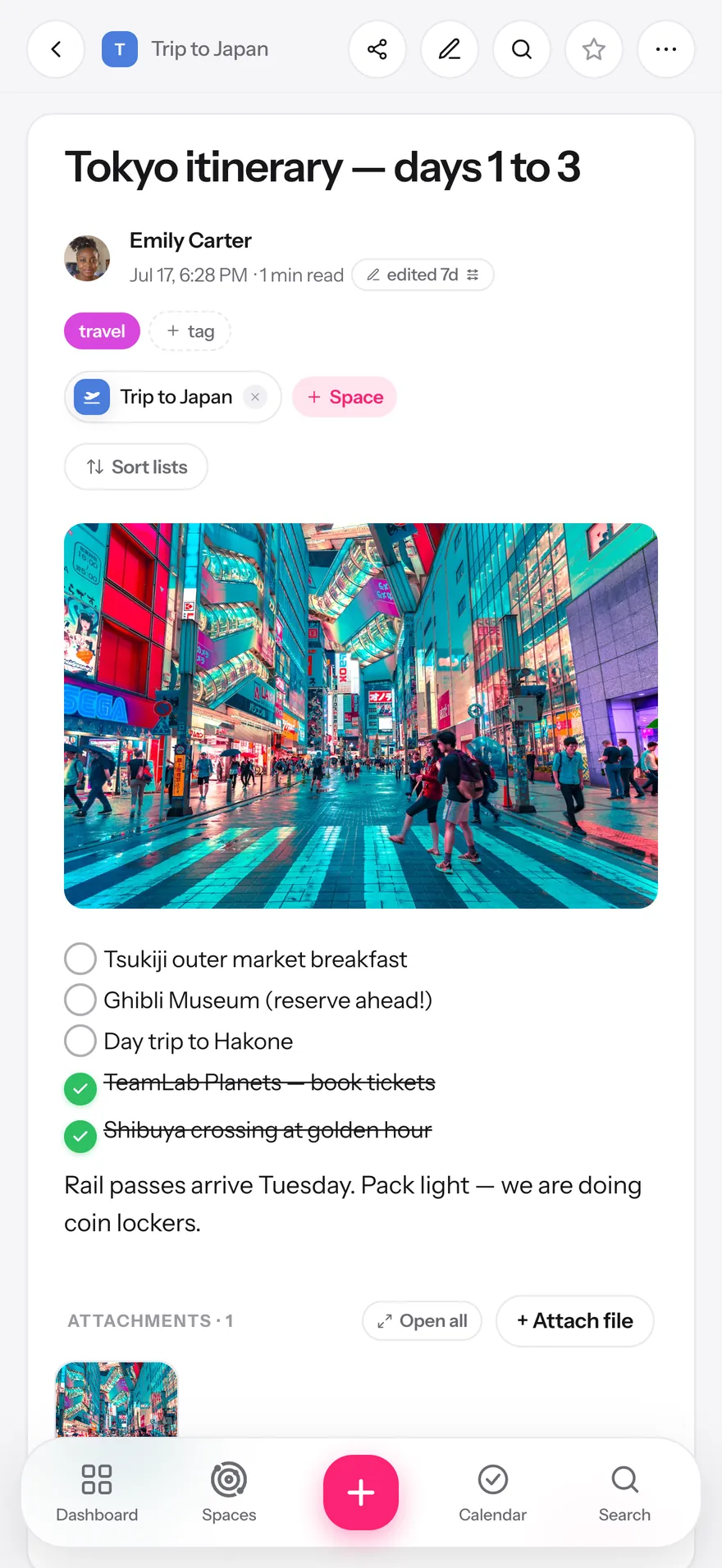
A capsule holds photos, checklists, tables, files, colors and tags — whatever the thing actually needs. Publish now or schedule it for later.

02

Drop it where your people are

Spaces are shared collections: the trip, the house, the book club. Invite people with roles, and group spaces into hyperspaces when life gets big.

03

Talk about it where it lives

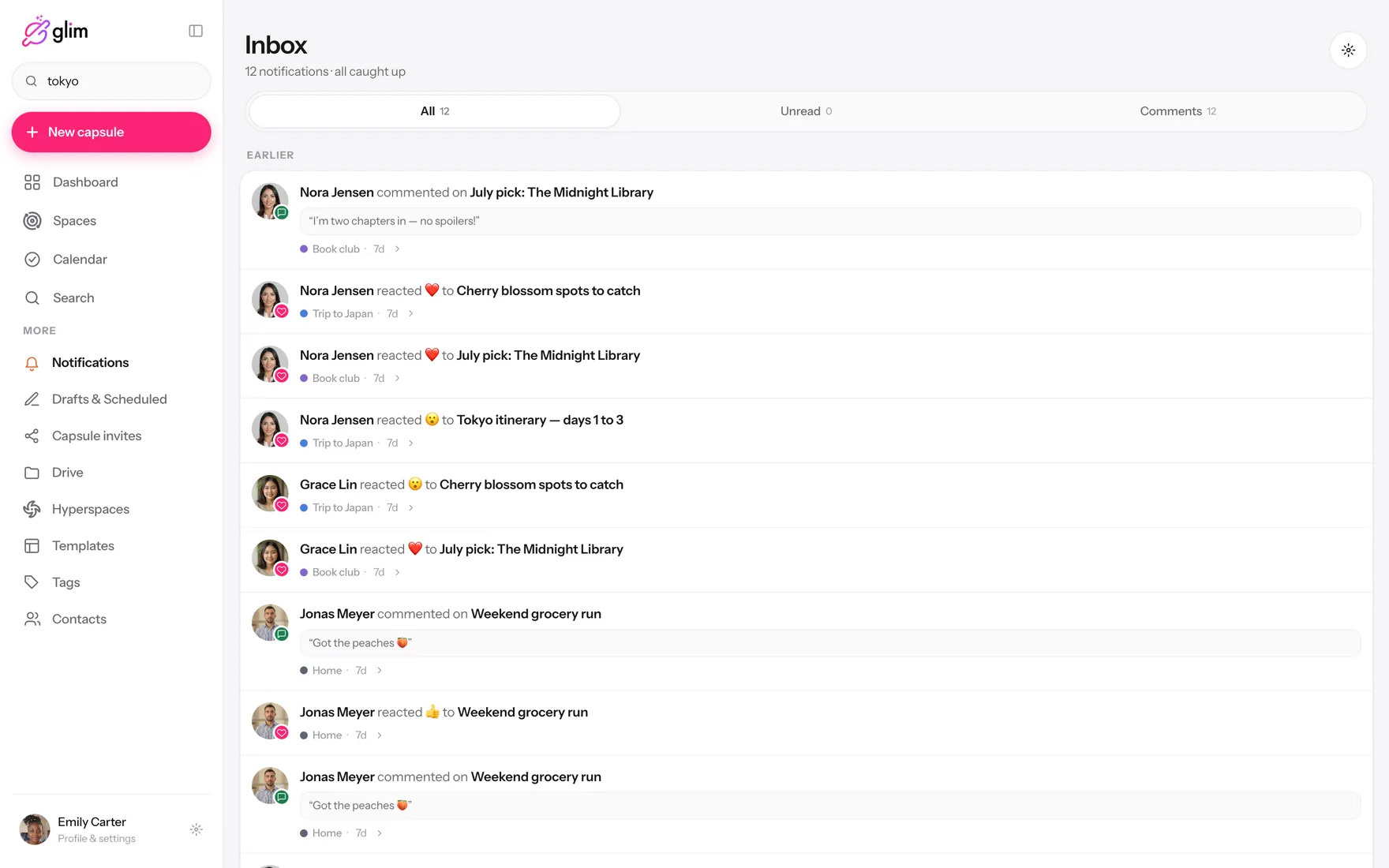
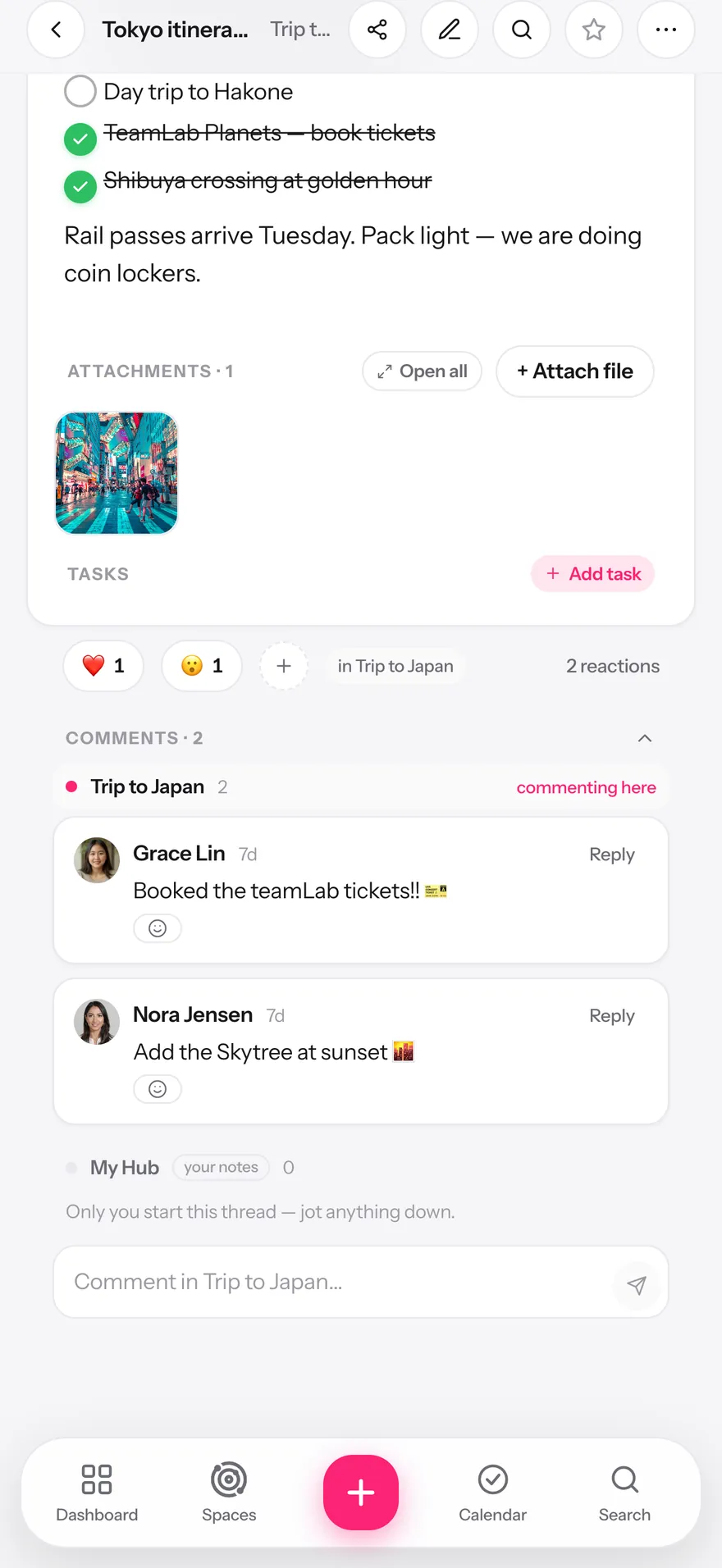
Comment in threads and react with any emoji, right on the note. The conversation stays attached to the thing it’s about — not buried in a chat.

04

Nothing falls through

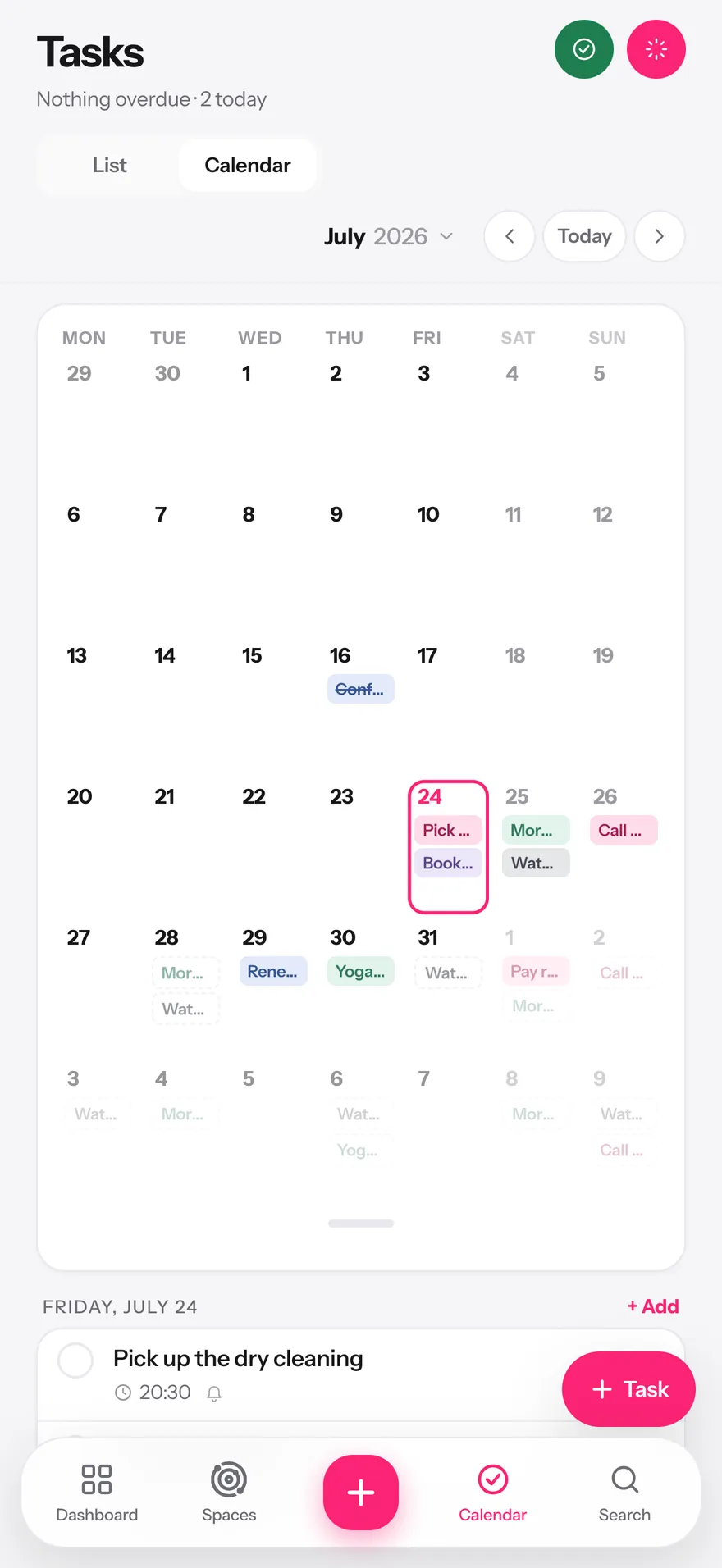
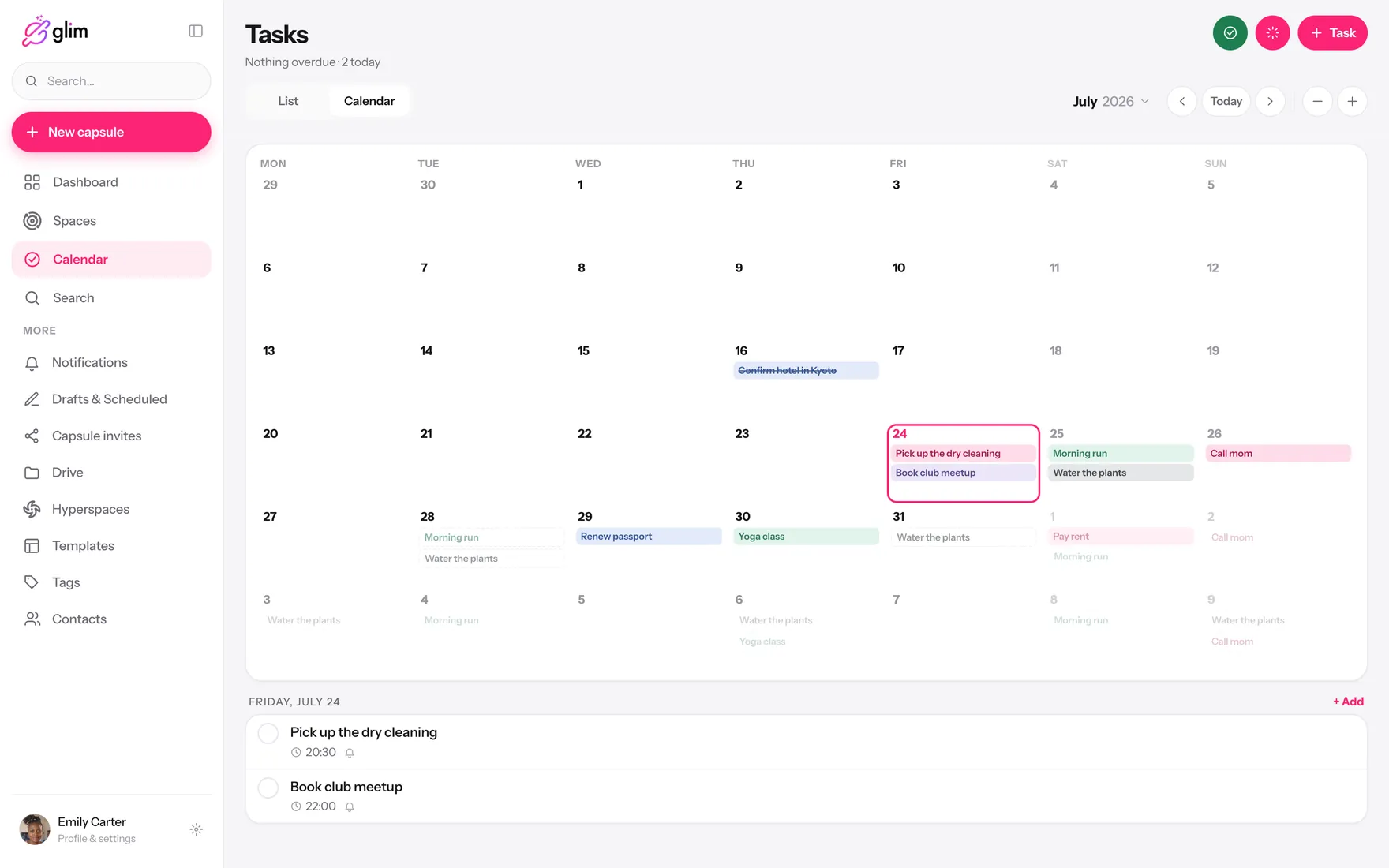
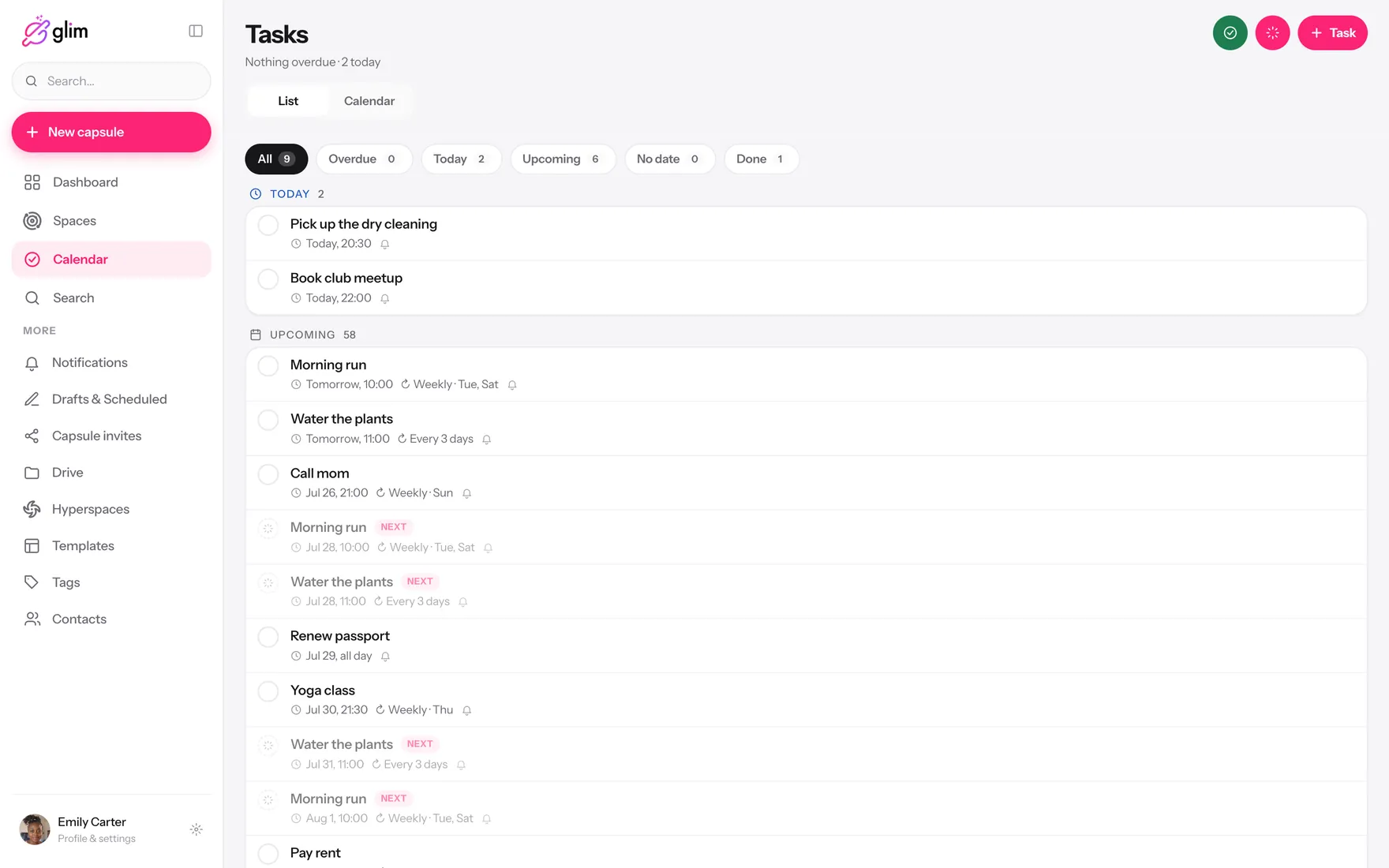
Reminders with recurrence that behaves like real life: every Tuesday, the 1st of the month, working days only. For you, or for everyone in the space.

05

Find it in a second

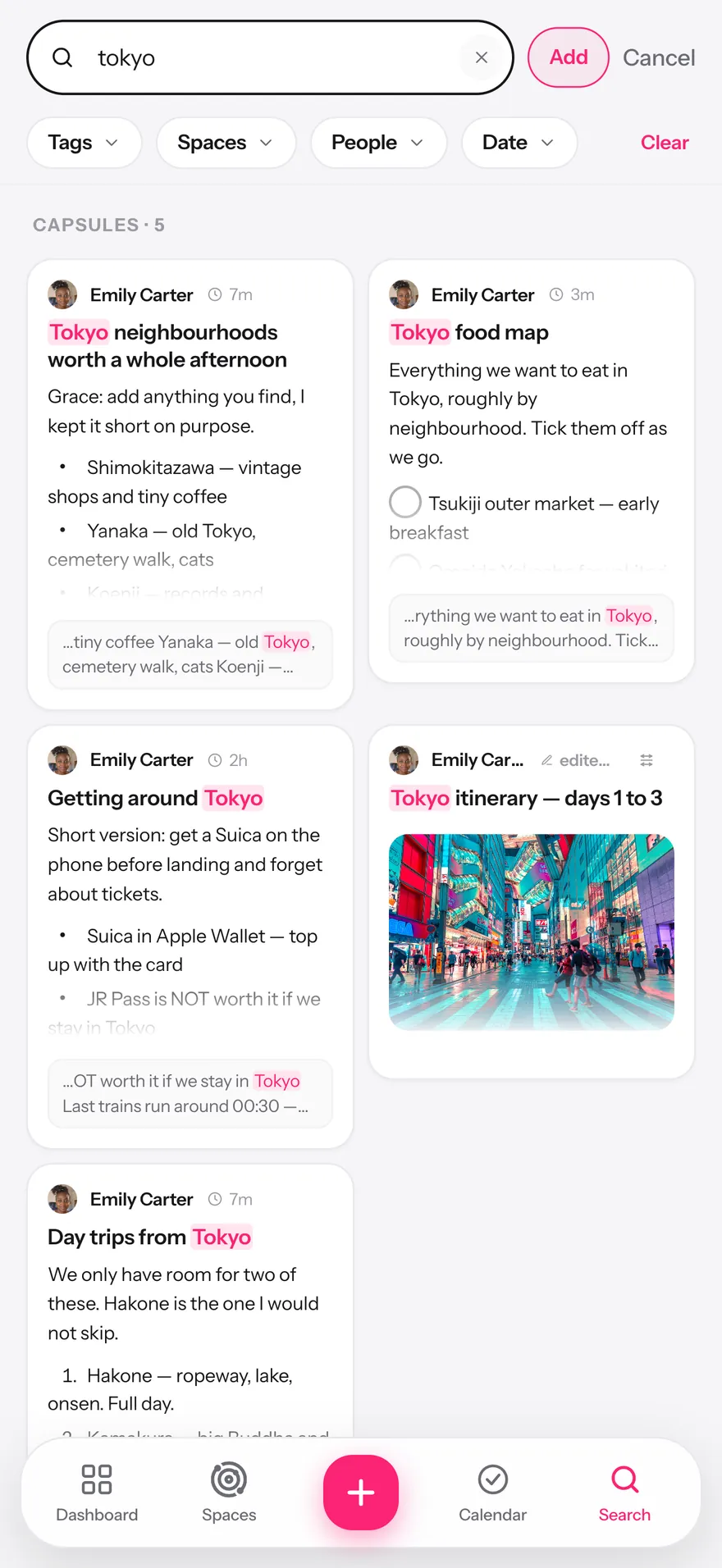
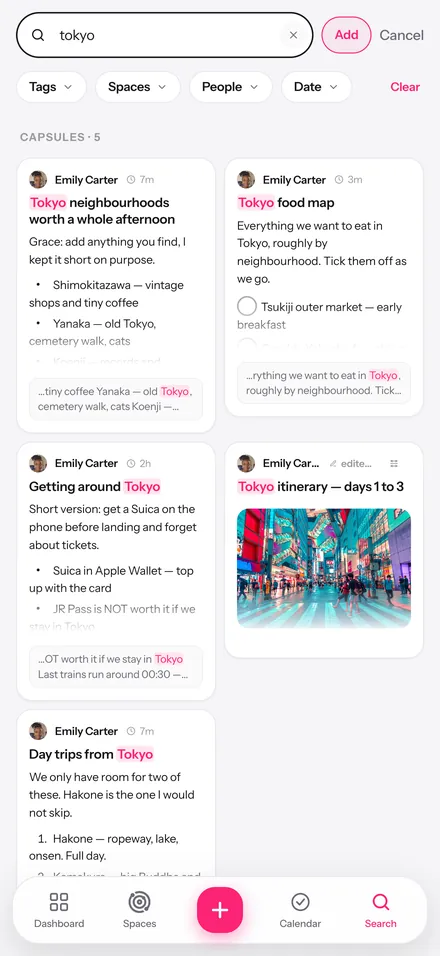
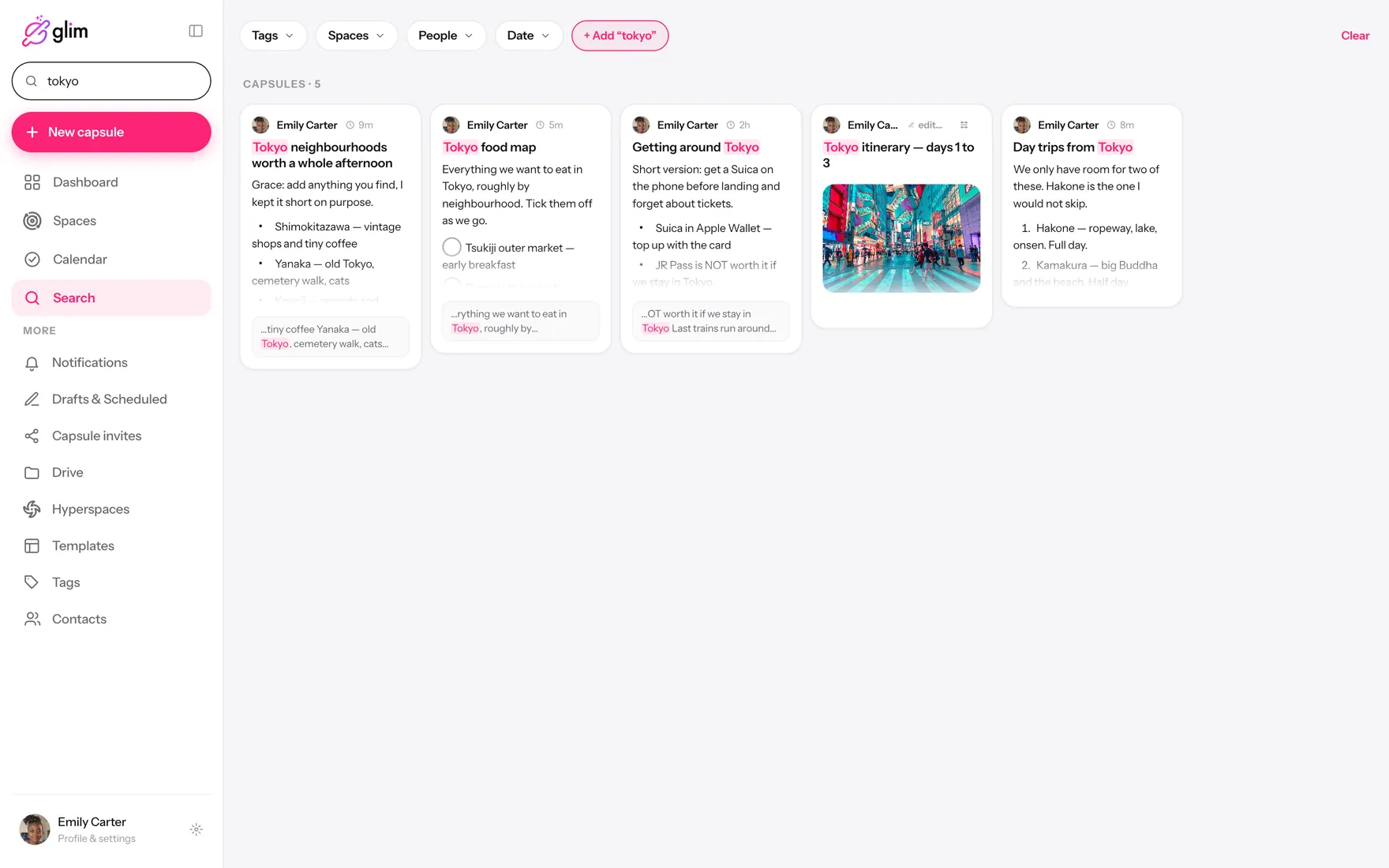
Search inside your notes, by tag, space, person or file — including the stuff you forgot you wrote. It works offline too.
A Glim capsule with a photo of Tokyo, a checklist and tagsA shared space in Glim with three members and its capsulesComments and emoji reactions inside a Glim capsuleGlim monthly calendar with recurring tasksGlim search results with highlighted matches
01

Write it like it matters

A capsule holds photos, checklists, tables, files, colors and tags — whatever the thing actually needs. Publish now or schedule it for later.

A Glim capsule with a photo of Tokyo, a checklist and tags
02

Drop it where your people are

Spaces are shared collections: the trip, the house, the book club. Invite people with roles, and group spaces into hyperspaces when life gets big.

A shared space in Glim with three members and its capsules
03

Talk about it where it lives

Comment in threads and react with any emoji, right on the note. The conversation stays attached to the thing it’s about — not buried in a chat.

Comments and emoji reactions inside a Glim capsule
04

Nothing falls through

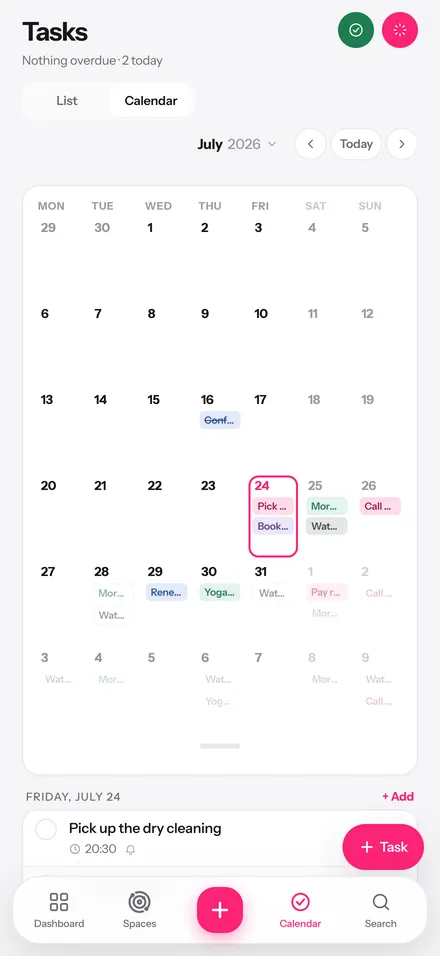
Reminders with recurrence that behaves like real life: every Tuesday, the 1st of the month, working days only. For you, or for everyone in the space.

Glim monthly calendar with recurring tasks
05

Find it in a second

Search inside your notes, by tag, space, person or file — including the stuff you forgot you wrote. It works offline too.
Glim search results with highlighted matches
Bring your own AI

Ask your AI about your own notes

Connect Glim to Claude or ChatGPT. Your assistant can read what you allow, write new capsules, check your calendar and pull the file you need — and every single thing it does is written into your activity log.

You choose what it seesConnect it to everything or to one space. Revoke any time.
Everything it does is loggedA plain-language activity log in Settings: what it read, wrote and changed.
No training on your dataYour notes are yours. They are never a dataset.
Works with Claude ChatGPT
Claude · Glim
What do I still need to book for Japan?
GlimFrom Trip to Japan: teamLab tickets are done — Grace booked them. Still open: Ghibli Museum (needs reserving ahead) and the day trip to Hakone. Want me to add both as tasks for this week?
Yes, and tell Grace.
Every action lands in Settings → Your AI activity.
Privacy

Encrypted before it leaves your phone

Every capsule gets its own AES-256 key. That key is wrapped for each person you invite — and for nobody else, us included. If our servers were stolen tomorrow, the thief would get noise.

We couldn’t read your notes even if we wanted to.
End-to-end encryptionAES-256-GCM per item, RSA-wrapped keys per person.
Offline-firstEverything lives on your device and syncs when you’re back.
Face ID for blurred capsulesHide sensitive notes behind your face or fingerprint.
No ads. No tracking. No selling.There is no business model that needs your data.
Why not just use…

You’ve tried the other three

You’ve tried the other three
GlimA notes appA group chatA project tool
Share one note with the right people
Photos, checklists, files, tables
Comments attached to the note
Reminders you can set for others
Finds anything, including inside notes
End-to-end encrypted
Works with no signal
Feels like it’s for humans, not staff
Free, without ads
Yes Sort of No
And the rest of it

Small things you’ll notice on day two

travel
This is a capsuleOne note with everything it needs — text, photos, checklists, files and tags.
3
SpacesA shared collection of capsules, with the people you invite and what each can do.
HyperspacesGroup your spaces when five becomes fifteen.
Your peopleInvite by email and see everything you already share with them.
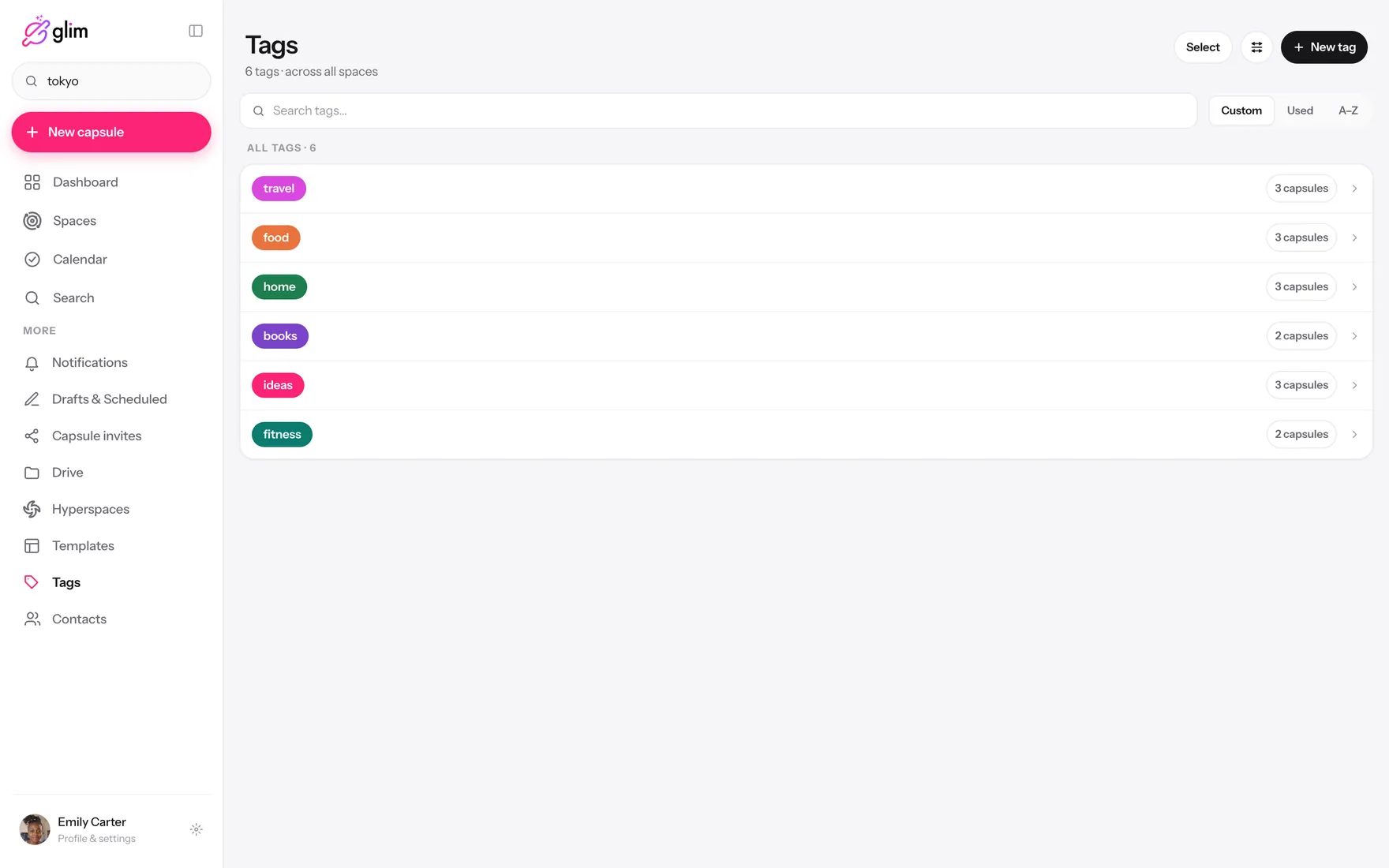
food3home3 ideas3travel3
Tags with real colorFilter across every space at once.
PDF JPG DOC
DriveEvery file you ever attached, in one place, in folders.
Template
TemplatesSave any capsule as a starting point.
Publishes Thu, 9:00
Drafts & schedulingWrite today, publish Thursday at 9.
Share into GlimSend from any app straight into a capsule — new or existing.
3
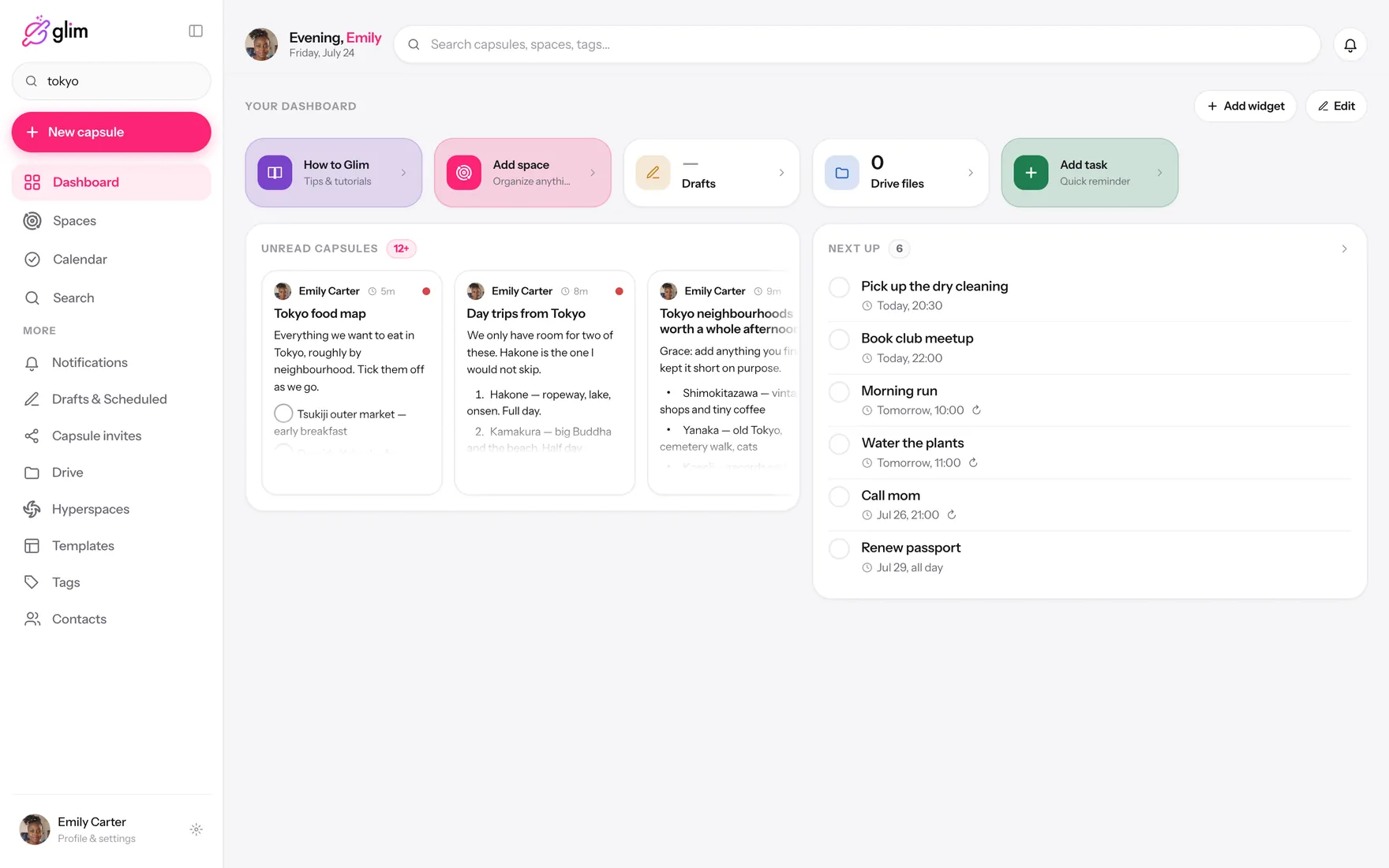
Your dashboardBuild the home screen you actually want.
Light and darkPlus an accent color that’s yours.
ENESPT FRITDE
Six languagesEnglish, Español, Português, Français, Italiano, Deutsch.
Everywhere you are

In your pocket and in the tab you already have open

Same account, same encrypted notes, instant sync. Install nothing on the web if you don’t want to.
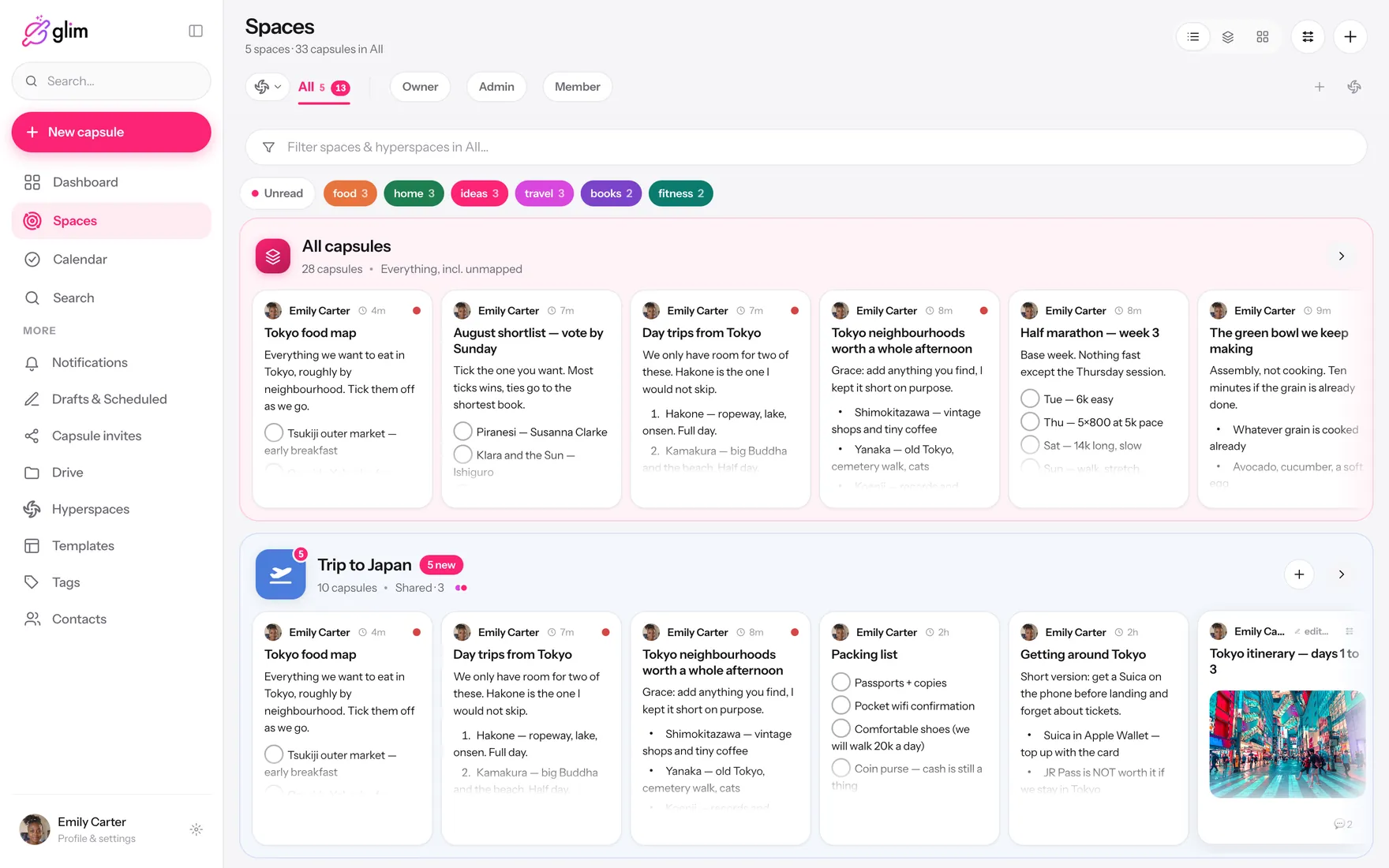
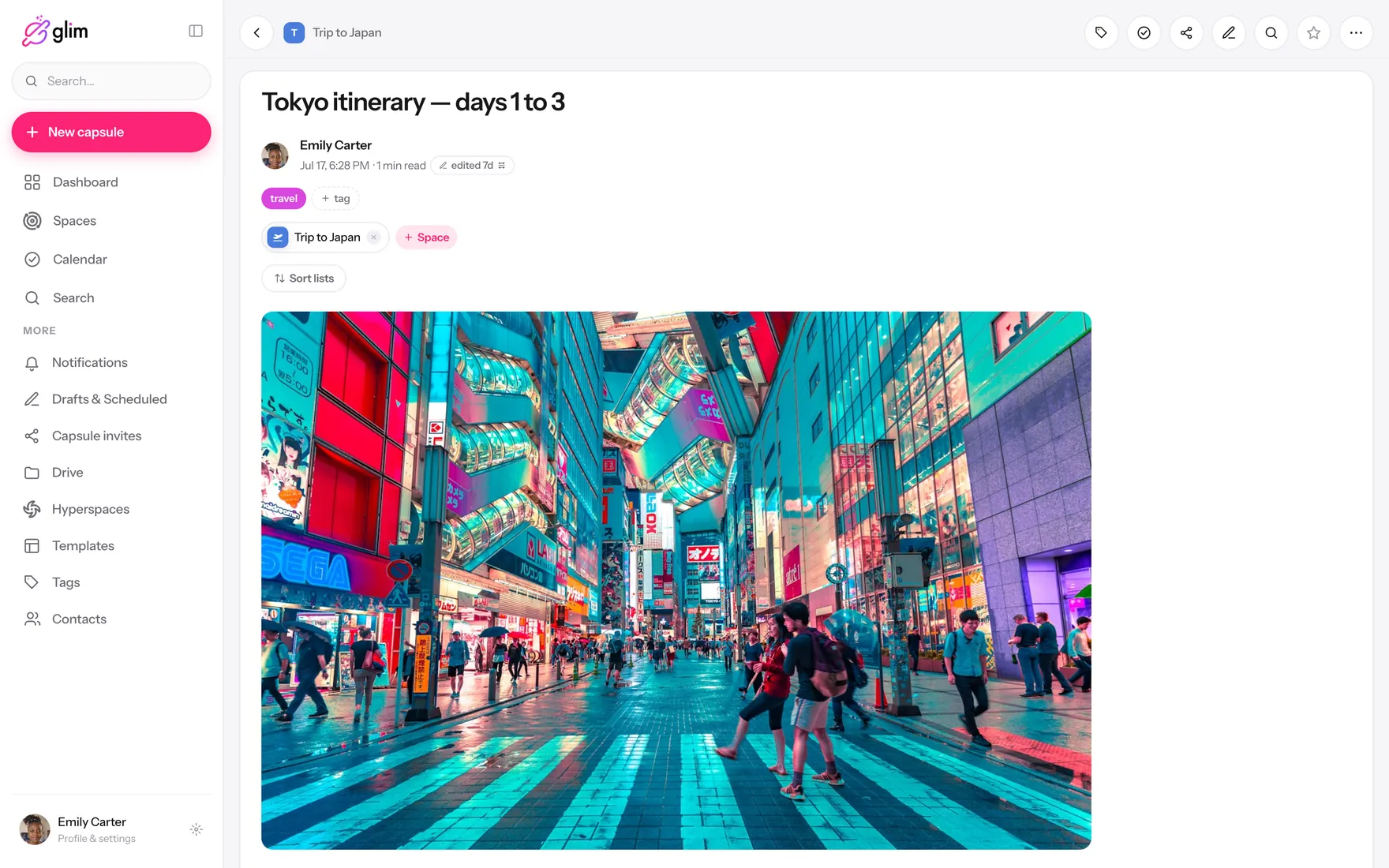
Glim running on a laptop, showing shared spaces — SpacesGlim running on a laptop, showing shared spaces — CapsuleGlim running on a laptop, showing shared spaces — SearchGlim running on a laptop, showing shared spaces — CalendarGlim running on a laptop, showing shared spaces — TasksGlim running on a laptop, showing shared spaces — DashboardGlim running on a laptop, showing shared spaces — InboxGlim running on a laptop, showing shared spaces — Tags

Eight real screens, straight from the app.

Questions

The things people ask first

Is Glim really free?
Yes. The free plan covers everything most people need — capsules, spaces, tasks, search, encryption and offline. No ads, and you don’t need a card to start.
How is this different from a notes app?
A notes app is built for one person. Glim is built for the note and the people around it: shared spaces with roles, comments and reactions on the note itself, and reminders you can set for someone else — with the same encryption you’d expect from a private notebook.
Can the Glim team read my notes?
No. Your content is encrypted on your device with a key we never hold. We store ciphertext. That also means we can’t recover content for you if you lose access — that’s the trade-off of real end-to-end encryption.
What does connecting my AI actually do?
You link Glim to Claude or ChatGPT as a connector. From then on you can ask your assistant about your notes, have it create or update capsules, check your calendar or fetch a file. You control what it can reach, and every action it takes appears in your activity log.
Does it work without internet?
Fully. Glim keeps everything on your device and syncs when you’re back online. Writing, searching and reading all work on a plane.
Can I use it just for myself?
Plenty of people do. My Hub is your private side — nothing there is shared until you decide to put it in a space.
Which platforms is Glim on?
iPhone and iPad, Android, and any modern browser at app.glim.space. It installs as an app on desktop too.

Your life fits in here.

Free to start, encrypted from the first word, and ready for the people you’ll add tomorrow.

No card. No ads. Takes about a minute.